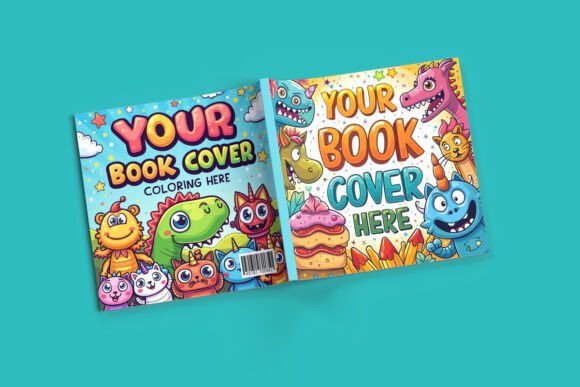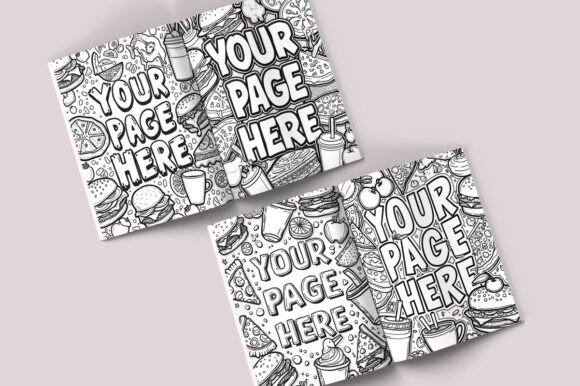
Two Open Books Mockup PSD: A Practical Way to Present Your Book Projects with Realism and Control
When you finish designing a book layout, you want to show it off in a way that feels real. Flat PDFs and screen grabs rarely capture the experience of holding an open book. That is where the Two Open Books Mockup PSD comes in. It gives you a ready-made scene where two books sit open, displaying your pages with natural lighting, depth, and texture. You drop your design into a smart object, and the mockup handles the rest. This article walks through what this mockup actually does, why it matters for different kinds of projects, and what to think about before you start using it.
What You Are Getting with This Mockup
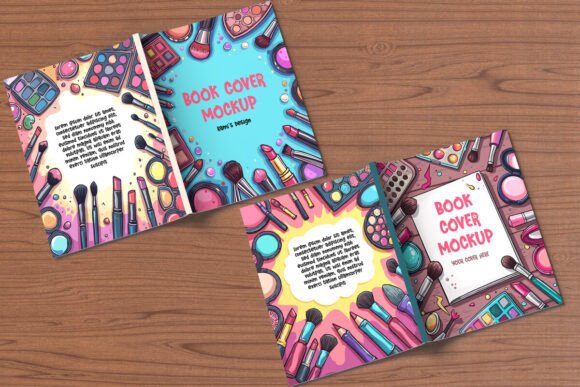
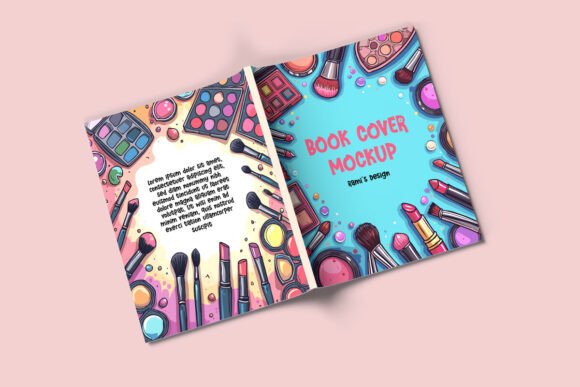
At its core, this mockup is a layered Photoshop file built around two fully open books. Each book lives in its own layer group, so you can edit them independently. The format is the standard 8.5 x 11 inch size, which works for everything from novels to reports to catalogs. The file comes in at 3000 x 2250 pixels, giving you enough resolution for both digital presentations and printed proofs. You also get a few wooden background options and the ability to change the background color freely. A step-by-step PDF guide is included, which helps you avoid any guesswork when applying your designs.
Where People Actually Use This Kind of Mockup
Mockups like this one show up in a surprising number of everyday situations. Understanding where they fit can help you decide if this particular file matches what you need.
Publishing and Self-Publishing Projects
If you are formatting a novel, a poetry collection, or a nonfiction manuscript, you need to show potential readers or clients what the interior looks like. A simple cover mockup tells only half the story. With two open books, you can display facing pages, show how margins and type sit across a spread, and give a sense of how the binding behaves. Self-published authors often use this kind of mockup when pitching to distributors or uploading preview pages to their own website. It also helps when you want to show beta readers a realistic preview before committing to a print run.
Catalogs, Reports, and Corporate Documents
Business catalogs and annual reports often live in the same 8.5 x 11 inch format. If you are designing a product catalog for a small brand or a quarterly report for a nonprofit, placing those pages inside an open book mockup adds a layer of professionalism that a simple PDF cannot match. The mockup gives the document a physical presence. It suggests that the work inside has weight and care behind it. For marketing teams, this makes a big difference when presenting internal drafts to stakeholders or sharing final designs with clients.
Portfolio and Freelance Client Work
Freelance designers and illustrators often use mockups to show off their best spreads. If you have designed a children’s book, a cookbook, or a photography book, placing those spreads inside the Two Open Books Mockup PSD gives potential clients a clear look at your layout skills. You can use one book to show a left page and the other to show a right page, giving a full spread experience. This is especially useful when you are building an online portfolio or applying for projects that require layout samples. A well-presented mockup can make your work stand out from designers who only upload flat images.
Educational Materials and Course Workbooks
Teachers, curriculum designers, and online course creators often produce workbooks, study guides, and handouts in the 8.5 x 11 format. When you are selling a course or pitching a training program to a school, showing the material inside an open book mockup helps buyers imagine it in their hands. It also works well for preview pages on a course sales page. Instead of a dry screen capture, you get a warm, inviting image that suggests quality and thoughtfulness.
Blogging and Social Media Content
Book bloggers, reading influencers, and creators who post about publishing often need engaging visuals for their platforms. An open book mockup provides a natural prop that does not require you to own physical books or set up a photo shoot. You can use the mockup to feature a new release, a free chapter preview, or a design sample you want to share. The wooden background options add a cozy, analog feel that works well on Instagram, Pinterest, and blog headers. Because the mockup is fully editable, you can match the background to your brand colors or seasonal themes.
How Different Users Get Different Value from the Same File
The same mockup serves different purposes depending on who you are and what you are trying to accomplish. Here is a closer look at how various people might use it.
For the Independent Author
You have finished writing your book. You have hired a designer or formatted it yourself. Now you need to show friends, early readers, or an agent what the interior looks like. Sending a PDF link feels impersonal. Sending a mockup image with your pages already inside feels like a finished product. You can include it in your pitch email, upload it to a private gallery, or use it as a teaser on social media. The two-book setup lets you show contrasting pages, like a chapter opening next to a text-heavy spread, without needing multiple images.
For the Marketing or Communications Professional
You are producing a high-stakes annual report or a product catalog. The design team has worked hard on the layout. When you present it to executives or clients, you want the visuals to reflect that effort. Placing the spreads inside a realistic open book mockup immediately communicates that this is a polished, print-ready document. It also helps non-designers understand how the final product will look and feel. You can adjust the background to match corporate colors or keep it neutral with the provided wooden textures.
For the Freelance Designer
You have multiple book projects in your portfolio, and you want each one to feel distinct. The Two Open Books Mockup PSD allows you to vary the presentation without starting from scratch each time. You can use different background colors, change the lighting slightly, or feature only one book for a detail shot. Because the books are isolated in separate layer groups, you have full control over which pages appear where. This makes it easy to create a cohesive portfolio that still shows off the variety in your work.
For the Online Course Creator
You are selling a workbook or a study guide alongside your video lessons. On your sales page, you want potential students to see exactly what they will receive. A flat image of the workbook cover is fine, but an open book spread showing a sample exercise or a chapter outline builds trust. It shows that the material is substantial and well-organized. You can also use the mockup in email sequences to tease course content before launch.
What to Consider Before You Start Editing
This mockup is designed to be straightforward, but a few things are worth keeping in mind before you open the file.
You need Photoshop. The file is a layered PSD with smart objects. If you do not have Photoshop, you will not be able to edit the mockup directly. There is no workaround for this. Make sure you have a version of Photoshop that supports smart objects, which is most modern versions.
Your page design should match the dimensions. The mockup is built for 8.5 x 11 inch pages. If your book is a different size, like 6 x 9 or 5.5 x 8.5, the pages will not fit the open book shape properly. You can scale your design within the smart object, but the proportions might shift. For best results, use this mockup for projects that match or closely fit the 8.5 x 11 format.
Pay attention to margins and bleed. When you place your design inside the smart object, the mockup shows the full spread including the edges. If your design has important content near the margins, it might get clipped or distorted by the curve of the page. Always test how your layout looks inside the mockup before finalizing. Adjust your margins or move critical text inward if needed.
The lighting is fixed. The mockup comes with realistic lighting already applied. You can adjust brightness or contrast within Photoshop, but you cannot change the direction of the shadow or the angle of the light. If your design relies on specific lighting conditions, this mockup may not suit every project. For most standard presentations, the built-in lighting works well and looks natural.
Background customization is flexible but finite. You have a few wooden backgrounds included, and you can change the background color to anything you like. However, the mockup does not include infinite scene variations. If you need a specific environment, like a desk with a coffee cup or a bookshelf behind it, you would need to composite additional elements yourself. For most commercial and personal use, the included options are more than enough.
Connecting Features to Real Outcomes
It is easy to list features, but understanding how they translate into real results is more useful. Here is how the specific qualities of this mockup affect your everyday workflow.
Isolated layer groups mean you can edit each book independently. If you want to feature a chapter opening on one book and a diagram on the other, you can do that without affecting the rest of the scene. That saves time compared to mockups that treat both books as a single element.
Smart object editing means you place your design once and the mockup applies all the shadows, curves, and textures automatically. You do not need to manually warp or distort your pages. That reduces the chance of error and speeds up your workflow, especially when you need to produce multiple variations for different clients or projects.
High resolution at 3000 x 2250 pixels means your final image stays crisp even when used on large screens or in printed presentation materials. If you plan to include the mockup in a printed portfolio book or display it at a trade show booth, you will not see pixelation or soft edges.
The included PDF guide cuts down the learning curve. If you are not a Photoshop expert, the step-by-step instructions walk you through exactly where to click and what to do. That makes the mockup accessible to people who design books but do not spend all day in photo editing software.
When This Mockup Might Not Be the Right Fit
No single mockup works for everything. If your book is a non-standard size, you may struggle to make the pages fit naturally. If you need to show a book partially open or viewed from a different angle, this mockup will not help because the perspective is fixed. And if you only need a single book cover mockup, this two-book setup may feel like overkill. In those cases, a simpler single-book mockup or a dedicated cover mockup would be more efficient.
That said, for anyone who regularly presents 8.5 x 11 inch book interiors to clients, readers, or stakeholders, this mockup offers a realistic, editable, and professional solution that fits into a standard Photoshop workflow without extra plugins or complicated steps.
Final Thoughts on Using the Two Open Books Mockup PSD
The value of a good mockup lies in how it helps you communicate your work without getting in the way. This particular file does that well. It gives you a realistic scene with two open books, full control over each page, and enough resolution for both digital and print use. Whether you are an indie author preparing a preview, a designer building a portfolio, a marketer presenting a catalog, or a teacher selling a workbook, the mockup helps your audience see your pages the way they would in real life. And when your audience can picture your book in their hands, they are much more likely to take the next step, whether that is approving a design, buying a copy, or signing a contract.