Full Book Cover Mockup: A Practical Evaluation for Design Professionals
Presenting a book cover design to a client, colleague, or publisher often requires more than a flat JPEG or a static PDF. The difference between a design that feels finished and one that still looks like a work-in-progress frequently comes down to presentation context. The Full Book Cover Mockup addresses this need by offering a realistic, fully open book view that displays both the front and back covers simultaneously. This article offers a balanced evaluation of this mockup, examining its features, practical benefits, potential limitations, and the kinds of projects where it either shines or falls short. The goal is to help you determine whether this tool aligns with your specific design workflow and presentation needs.
What Is the Full Book Cover Mockup?
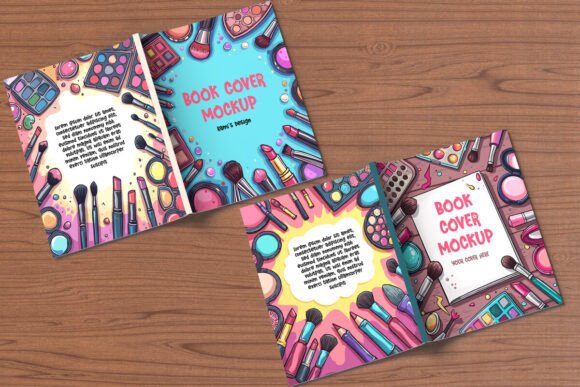
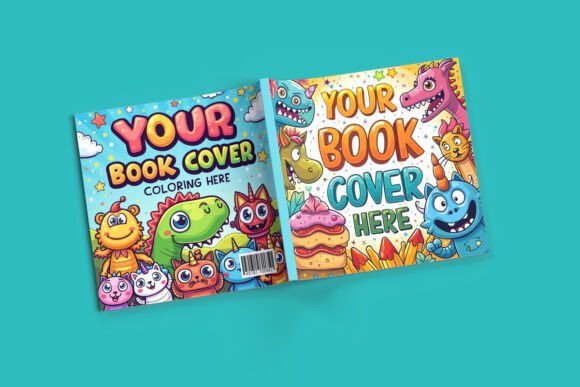
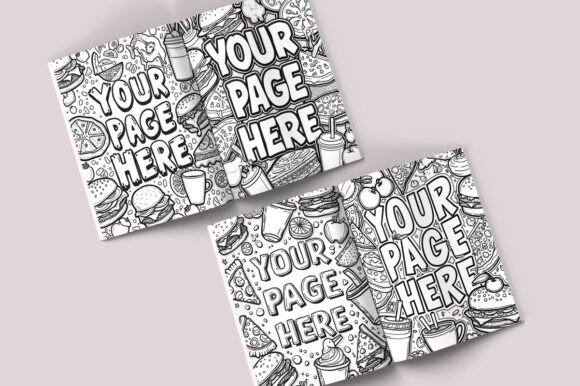
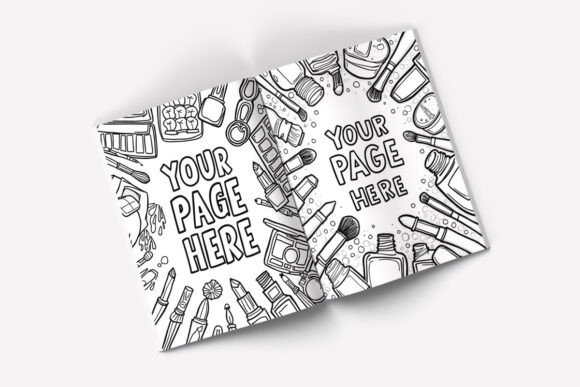
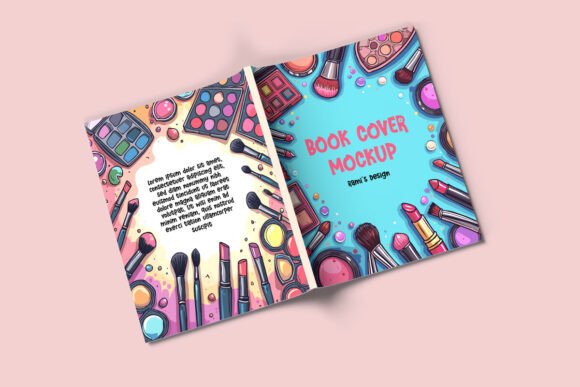
At its core, the Full Book Cover Mockup is a layered Photoshop (PSD) file designed to simulate the appearance of an open book measuring 8.5 x 11 inches. The defining characteristic is its seamless, single-view presentation of the entire cover spread. Instead of showing only the front cover or a partially opened book, this mockup reveals the complete front and back covers in one continuous, realistic layout. The open book is isolated in its own layer group, making it straightforward to insert your own cover design using smart objects. The PSD file comes at a high resolution of 3000 x 2250 pixels, ensuring crisp output suitable for both digital portfolios and printed proof presentations. Additional elements include customizable background options, pre-loaded wooden background textures, and a step-by-step PDF guide for users who may be new to working with smart object layers.
Why Consider This Mockup? Key Motivations
Designers and marketers typically turn to a mockup like this for several practical reasons. Understanding these motivations can help clarify whether the tool matches your own objectives.
Realistic Client Presentations
A flat design file rarely conveys how a cover will look in a real-world setting. Clients often need to visualize scale, proportion, and the relationship between the front and back covers. The Full Book Cover Mockup provides that context without requiring a physical print run. For designers presenting to publishing houses, self-publishing authors, or corporate clients creating reports or catalogs, this realism can reduce back-and-forth revisions and build confidence in the design.
Efficiency in Workflow
Building a realistic book presentation from scratch in Photoshop takes significant time. Adjusting lighting, shadows, page curl, and perspective requires skill and effort. A pre-built mockup with organized layers and smart objects cuts that process dramatically. You can drop in your design, adjust the background, and have a presentation-ready file in minutes rather than hours.
Versatility Across Project Types
Because the mockup uses the standard 8.5 x 11 inch format, it fits many common book sizes. Novels, nonfiction books, annual reports, product catalogs, and even some magazines or manuals share this dimension. The customizable background options also make it suitable for both clean, professional presentations and more styled, thematic showcases.
Benefits That Stand Out
Several specific features of this mockup offer clear advantages for designers evaluating their options.
Complete Front and Back Cover View: Many mockups only show a front cover in isolation or a book partially open. By displaying both covers in one seamless view, this mockup gives clients a holistic understanding of the design. This is particularly valuable when the back cover contains important continuity elements, such as a continuing image, a barcode placement, or a cohesive color scheme.
High Resolution and Print Readiness: The 3000 x 2250 pixel resolution means the mockup can be used in large digital presentations, printed proofs, or even marketing materials. The image remains sharp and professional at various display sizes.
Organized Layer Structure: For anyone who has struggled with a poorly organized PSD file, the promise of dedicated layer groups and smart objects is a meaningful benefit. It reduces the chance of accidentally moving or deleting essential elements and makes the editing process predictable.
Customizable Backgrounds: The inclusion of wooden backgrounds and the ability to adjust background color allows for flexibility. A neutral background works well for corporate presentations, while a more textured surface can suit a creative portfolio or a book launch page.
Included Guidance: The PDF guide is a practical addition for designers who may be less experienced with smart objects or for teams onboarding new members. It lowers the learning curve and reduces support questions.
Tradeoffs and Limitations to Consider
No mockup is perfect for every situation. A balanced evaluation requires acknowledging where this tool may not be the optimal choice.
Software Requirement
The mockup requires Adobe Photoshop to edit. This is a significant consideration if you or your team primarily use alternative design software such as Affinity Photo, GIMP, Canva, or web-based mockup generators. If Photoshop is not part of your workflow, the PSD file will not be directly usable. Some conversion is possible, but layer effects, smart objects, and adjustment layers often do not transfer cleanly between programs.
Fixed Book Size
The 8.5 x 11 inch format is common, but it is not universal. If your project involves a trade paperback of 6 x 9 inches, a mass market paperback, a square coffee table book, or a hardcover with a different aspect ratio, this mockup may not represent the final product accurately. In those cases, either the cover will need to be cropped or scaled (risking distortion or misrepresentation), or a different mockup will be required.
Limited Perspective and Angle
The mockup shows a fully open book from a specific angle. This works well for many presentations, but it does not offer alternative views. Some projects benefit from showing the book at a slight angle, partially closed, or held in a hand. If you need a range of perspectives for a comprehensive presentation, you may need to combine this mockup with others or create additional scenes.
Single Scene Setup
While the background is customizable, the book itself remains in a fixed position and orientation. You cannot rotate the book independently or adjust the lighting direction within the PSD. This is typical for layered mockups, but it means that if you require a highly specific composition, you may find the preset constraints limiting.
Scenarios Where This Mockup Is a Strong Fit
Based on its features and tradeoffs, the Full Book Cover Mockup fits well in several common scenarios:
- Client presentations for standard-sized books: If your client's book is 8.5 x 11 inches, this mockup provides an accurate, realistic representation that helps the client visualize the final product.
- Portfolio and portfolio websites: The clean, high-resolution output works well for showcasing your work on personal websites, Behance, Dribbble, or other portfolio platforms.
- Catalog and report design proofs: Corporate clients often need to see how a branded report or catalog will appear in its physical form. The professional finish of this mockup suits that context.
- Self-publishing authors: Authors who are managing their own cover design and need to present options to a proofreader, formatter, or printer can use this mockup to communicate effectively.
- Social media and marketing teasers: The full cover view can be used to create engaging social media posts that reveal both front and back cover design, building anticipation for a book launch.
Alternatives Worth Considering
Depending on your specific needs, other approaches may serve you better.
Other Mockup Formats: If 8.5 x 11 inches is not your target size, dedicated mockups for other formats are widely available. Searching for a 6 x 9 inch book mockup, a square mockup, or a hardcover mockup will yield options that provide a better dimensional match.
Mockup Generators and Online Tools: Web-based tools like Placeit, Smartmockups, or Canva's mockup generator allow you to upload a design and generate a mockup without Photoshop. These are excellent for quick needs or for teams that do not have access to Adobe software. However, they typically offer less control over layers, backgrounds, and shadows than a PSD file.
3D Mockup Software: For maximum flexibility, tools like Blender (free) or Cinema 4D allow you to create fully customizable book scenes with control over lighting, angle, camera position, and page interaction. The tradeoff is a steep learning curve and significantly longer setup time.
Physical Proofs: For final approvals before print, nothing replaces a physical proof. A mockup is a presentation tool, not a substitute for a printed sample when color accuracy and paper texture matter. For critical projects, ordering a single physical proof remains the gold standard.
Practical Decision-Making Insights
To determine whether the Full Book Cover Mockup aligns with your goals, consider these practical questions:
- Is Photoshop part of your workflow? If yes, the PSD format is straightforward. If not, factor in the cost of acquiring Photoshop or the time needed to convert the file.
- Does your project use the 8.5 x 11 inch format? Measure your cover size precisely. A run of 6 x 9 inch books is common and would not be well served by this mockup.
- How many perspectives do you need? If one high-quality front-and-back view is sufficient, this mockup is efficient. If you need a variety of angles or scenes, consider a bundle or a 3D approach.
- How much editing control do you require? If you like to tweak shadows, add specific lighting, or adjust the page thickness, a layered PSD gives you some control, but not infinite flexibility. Understand the limits of the layer structure before committing.
- What is the end use? For digital portfolios and client PDFs, the 3000 x 2250 px resolution is excellent. For large-format printed displays, verify that the resolution meets your print requirements at the intended size.
Summary: Aligning the Tool with Your Needs
The Full Book Cover Mockup serves a specific and valuable purpose: it provides a realistic, high-resolution, easy-to-edit presentation of a standard 8.5 x 11 inch book cover showing both front and back in a single view. Its strengths lie in efficiency, realism, and professional quality. Its limitations include a fixed format, Photoshop dependency, and a single perspective. For designers working on books in that size range, especially those who already use Photoshop, this mockup can streamline client presentations and elevate the perceived professionalism of your work. For projects outside that format, or for teams using different software, alternatives such as other mockup sizes, online generators, or 3D tools may prove more suitable. By assessing your specific project size, workflow, and presentation goals, you can decide whether this mockup is the right fit or whether another tool would better serve your needs.