Two Open Books Full Cover Mockup: A Practical Tool for Professional Book Presentations
Presenting a book cover design effectively can be as important as the design itself. Whether you are pitching to a publisher, showcasing work to a client, or building a portfolio, the way a cover is displayed influences how it is perceived. The Two Open Books Full Cover Mockup offers a straightforward solution for designers and publishers who need a realistic, professional presentation without the overhead of staging a photo shoot. This article examines what this mockup delivers, where it fits into a practical workflow, and who stands to benefit most from using it.
Understanding the Two Open Books Full Cover Mockup
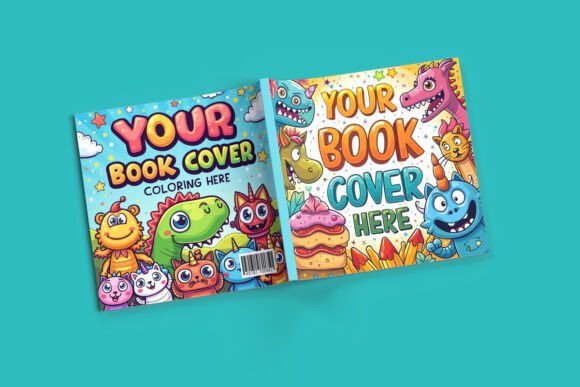
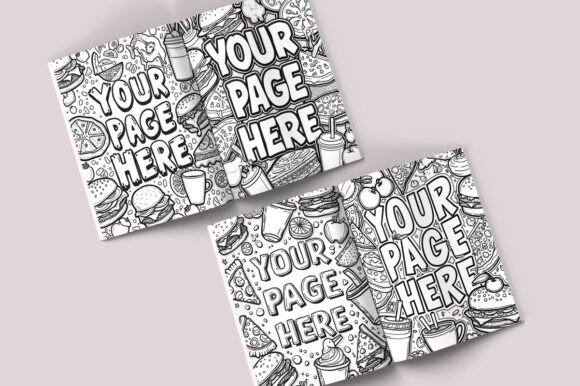
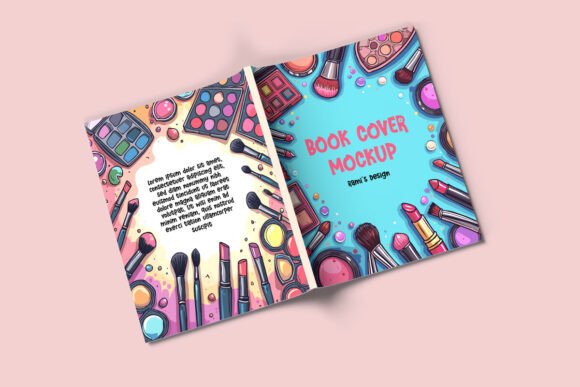
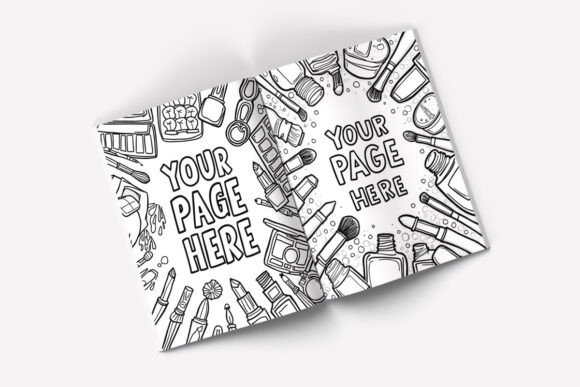
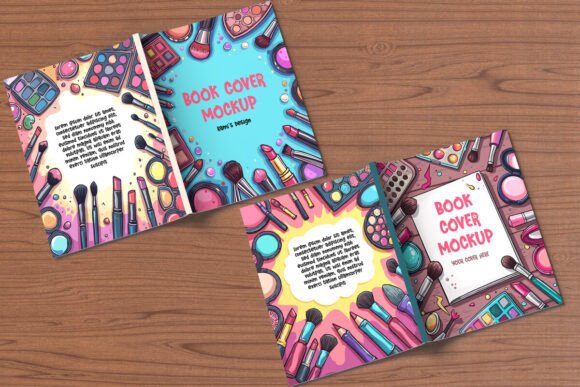
At its core, this mockup is a layered Photoshop template that places your cover artwork onto two books shown with their full covers visible. Unlike mockups that obscure part of the book or show only the spine, this one presents each book in a natural, open position while keeping the entire front cover in view. The result is a clean, straightforward presentation that lets the design speak for itself.
The file is built around standard dimensions: 8.5 x 11 inches. That size is familiar to anyone working with trade paperbacks, reports, catalogs, workbooks, or manuals. Because the mockup uses that format, it readily accommodates projects that fit within those proportions, which covers a wide range of common publishing products.
Purpose and Intended Use Cases
The primary purpose of this mockup is to save time. Instead of setting up lighting, arranging props, and photographing physical books, you place your design into a smart object layer and the mockup renders it in a convincing environment. This makes it suitable for:
- Client presentations where you want to show how a cover will look in a realistic setting
- Portfolio updates that require consistent, high-quality displays across multiple projects
- Product listings for self-published authors or small publishers selling through online retailers
- Marketing materials such as social media graphics, email newsletters, or website banners
The mockup also works well for educational or training contexts where instructors or students need to demonstrate cover design concepts without physical production costs.
Key Features and Practical Strengths
Several aspects of this mockup contribute to its usefulness in real-world projects.
Fully Editable Layer Structure
The two books are isolated in their own layer groups, each containing a smart object for the cover design. This means you can apply different artwork to each book if needed, or use the same design on both for a cohesive presentation. The separation also allows you to adjust the position, scale, or color of each book independently, which can be useful when composing a specific layout.
Because the layers are organized, even someone moderately experienced with Photoshop can make edits without struggling to find the right element. The included PDF guide walks through the steps, reducing the learning curve for those who may not use smart objects regularly.
Customizable Background
One limitation of many mockups is a fixed background that may not suit every project. This mockup addresses that by offering customizable background options. You can adjust the background color directly, or use the included wooden backgrounds for a warmer, more tactile look. This flexibility makes it easier to match the mockup to your brand style or the tone of the book itself. A dark, moody background might suit a thriller, while a light wooden surface could complement a lifestyle or design book.
High Resolution for Professional Output
The files are rendered at 3000 x 2250 pixels, which is sufficient for most digital and print-adjacent uses. At that resolution, details such as text, gradients, and fine lines on your cover remain sharp. Whether you are displaying the mockup on a website, in a PDF proposal, or as part of a printed presentation sheet, the image quality holds up well. There is enough resolution for cropping or slight scaling without noticeable degradation.
Real-World Performance and Usability
To assess how this mockup performs in practice, consider a few common scenarios.
Client presentations: When presenting three or four cover concepts to a client, you can quickly generate mockup images for each variation. The smart object workflow means you update the cover file and the mockup updates automatically. This saves significant time compared to rebuilding each presentation from scratch.
Portfolio consistency: If you maintain a portfolio of book covers, using the same mockup across all entries creates visual consistency. Potential employers or clients see the same presentation style, which allows the artwork itself to stand out rather than the surrounding imagery.
Marketing assets: For a self-published author preparing promotional images for social media, this mockup provides a polished look without requiring photography skills. A single mockup image can be resized and adapted for Instagram, Facebook, or a website header.
Limitations to Consider
No tool is perfect for every situation, and this mockup has some limitations worth noting.
- Software requirement: It requires Adobe Photoshop. Users without access to Photoshop or those who prefer free alternatives will not be able to edit the PSD files directly. There is no mention of compatibility with other image editors.
- Single angle and layout: The mockup shows two books at a fixed angle. If you need a variety of perspectives, different book sizes, or dynamic arrangements, this single template may not cover all your needs. For a diverse portfolio, you might need multiple mockups.
- Standard trim size only: The 8.5 x 11 inch format does not accommodate larger or smaller books. If your project uses a different aspect ratio, you will need to adapt the cover design to fit, which could distort or crop the artwork. Always verify your cover dimensions before starting.
- Personal and professional use only: The license prohibits redistribution or resale as freebies. This is standard for premium mockups, but it is worth keeping in mind if you plan to share the source file with a team or client.
Who Benefits Most from This Mockup
This mockup is particularly well suited for several groups of users.
Graphic Designers and Freelancers
Designers who specialize in book covers, publishing collateral, or editorial design will find this mockup a reliable asset. It reduces the time spent on mockup creation and allows more focus on the cover design itself. Freelancers can include mockup images in client proposals to present concepts more convincingly than flat digital files alone.
Self-Publishers and Indie Authors
For authors handling their own publishing, professional presentation can be a challenge. A mockup like this provides an affordable way to produce marketing images that look polished without hiring a designer or photographer. Pairing a strong cover with a realistic mockup can improve the perceived quality of the book before it is even printed.
Small Publishers and Educators
Small publishing teams with limited resources can use this mockup to create consistent product images across their catalog. Educators teaching design or publishing courses can also use it as a teaching tool, helping students understand how covers translate from screen to physical form.
Marketers and Content Creators
Anyone promoting books through digital channels will benefit from realistic cover displays. Bloggers, social media marketers, and email campaign managers can use mockup images to highlight new releases, bestsellers, or featured titles in a way that feels tangible and inviting.
Practical Recommendations for Getting the Most Out of It
Based on how this mockup works in practice, here are a few suggestions to maximize its value.
- Prepare your artwork at the correct dimensions. Since the mockup uses an 8.5 x 11 inch format, your cover design should match that aspect ratio closely. If your book is a different size, consider creating a temporary version that fits, or use the mockup only for projects that align with its proportions.
- Experiment with background colors. The ability to change the background is one of the strongest features. Test dark, light, and mid-tone backgrounds to see which makes your cover pop. The wooden backgrounds can lend a natural, handcrafted feel, but sometimes a simple solid color keeps attention on the artwork.
- Use both books to show variations. Because the two books are in separate layer groups, you can display a front cover on one and a back cover on the other. This is especially useful for projects where the back cover design is equally important, such as workbooks or catalogs.
- Keep the mockup file organized. If you use the mockup across many projects, create a folder structure that keeps each project's PSD separate but linked to the same template. This prevents confusion and makes it easier to revisit past presentations.
Long-Term Value and Reliability
Mockups like this one tend to hold their value over time because the design and format are stable. As long as you continue using a standard 8.5 x 11 inch size for your projects, the same mockup will remain useful for years. The high resolution also means it will look good on modern displays and in print materials.
One factor to keep in mind is software updates. If Adobe significantly changes the way smart objects or layer styles work in a future Photoshop version, older PSD files may need minor adjustments. In practice, mockups with straightforward layer structures like this one usually remain compatible across versions. The included PDF guide adds a layer of reliability by providing clear instructions that could help troubleshoot basic issues.
Is This Mockup Right for Your Workflow?
Deciding whether to add this mockup to your toolkit depends on your specific needs. If you regularly present book covers, produce marketing images, or build portfolios that involve standard-sized books, this mockup offers a practical, time-saving solution. Its customizable background, organized layers, and high resolution support a range of professional uses without demanding advanced technical skills.
On the other hand, if your work involves non-standard book sizes, requires multiple viewing angles, or depends on software other than Photoshop, this mockup may feel limiting. In those cases, you may need a more flexible setup or a collection of mockups that covers different formats.
For the majority of designers, publishers, and creators working with 8.5 x 11 inch books, the Two Open Books Full Cover Mockup represents a solid resource that balances quality, usability, and price. It handles the essential task of presenting a cover design in a realistic context, and it does so without unnecessary complexity.