25 Planner Etsy Mockup: Streamline Your Shop Design
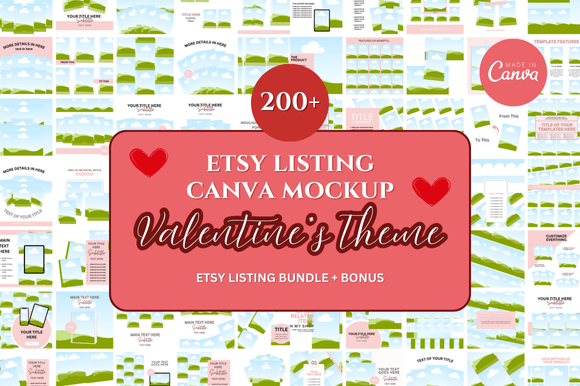
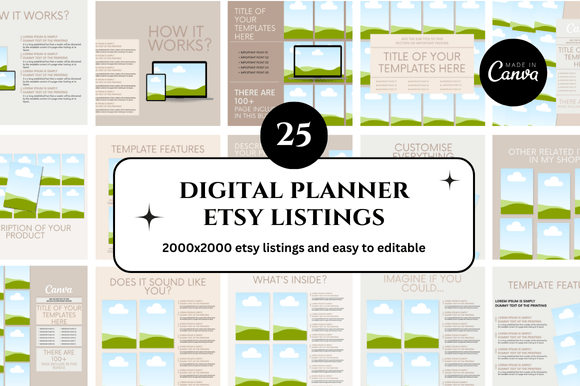
Getting your Etsy listings to look professional doesn’t have to take hours. If you sell digital planners, you already know that shoppers decide in seconds whether a product is worth clicking on. That first impression relies heavily on clear, attractive, and branded mockups. This is where a focused set of tools like the 25 Planner Etsy Mockup and 25 Planner Etsy Canva Mockup bundle comes in. It offers a ready-to-use framework for presenting your digital planners, inserts, and printables in a way that builds trust and drives sales. Let’s walk through exactly what makes this bundle a practical asset for your business and how you can maximize its potential.
The Foundation of a Trustworthy Etsy Shop
Your shop’s visual consistency speaks volumes before a customer reads a single word of your description. A scattered aesthetic can unintentionally signal a lack of experience or attention to detail. Using a unified set of mockups creates a cohesive brand experience that reassures buyers they are purchasing a quality product. The 25 Planner Etsy Mockup templates are designed to help you maintain that consistency across your entire catalog, from weekly spreads to budgeting inserts.
When every listing carries a similar visual DNA, you establish a recognizable shop identity. This builds a sense of expertise and reliability. Think of your mockup style as your shop’s handshake. It should be firm, clear, and consistent. The Canva-based templates make this particularly easy because you can save your brand colors and fonts directly in the platform and apply them across all 25 designs with a few clicks.
Creative Ways to Use Your 25 Planner Mockups
A mockup bundle this versatile goes far beyond just the main listing image. Here are some practical applications that can save you time and improve your shop’s performance.
Crafting Compelling Listing Thumbnails
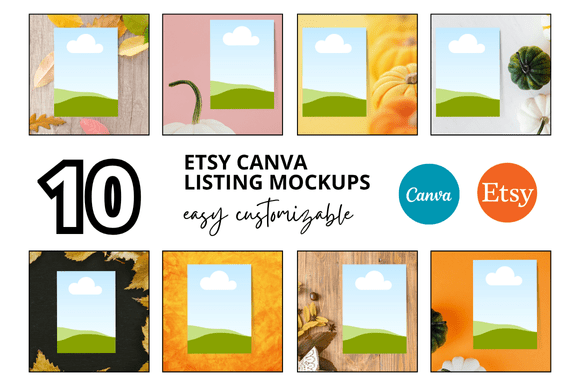
The first image on an Etsy listing is prime real estate. It needs to stop a scroller in their tracks. Use the 25 Planner Etsy Canva Mockup templates to showcase the most visually striking spread from your planner. Want to highlight a colorful weekly layout? Drag and drop it onto a tablet or laptop mockup. Prefer showing a physical printed version? Use a flat lay style. Having twenty-five options means you can always find the right angle without designing from scratch.
Building Intriguing Bundles and Kits
Grouping related products is a proven way to increase average order value within your Etsy digital shop. The flat lay and stacked mockups included in this bundle are perfect for visually presenting everything included in a bundle. Instead of just listing items, you can show a beautifully arranged set of inserts, stickers, and covers. This visual grouping helps customers immediately understand the value they are getting.
Creating Seasonal and Thematic Listings
Planners are often tied to seasons or specific goals. With the editable Canva templates, swapping backgrounds or accent colors to match back-to-school season, New Year resolution planning, or a cozy winter journaling theme becomes effortless. This flexibility keeps your shop feeling fresh and relevant throughout the year without requiring a complete rebrand every few months.
Tailoring Your Visuals to Specific Planner Audiences
Not all planner users are the same. Your visual presentation should speak directly to the needs and tastes of your target customer. The beauty of having a diverse set of twenty-five mockups is that you can select the perfect frame for each audience.
The Academic Planner Buyer
Students and teachers respond well to clean, minimalist mockups that highlight structure and organization. Use mockups with simple lines and neutral backgrounds. Overlaying a clear, sans-serif font and using icons like checkmarks or clocks can signal productivity without visual clutter. The key is to make the layout the hero.
The Busy Mom or Household Manager
This audience often appreciates warmth and a touch of lifestyle context. Choose mockups that feature inviting colors and show the planner in a real-world setting. A mockup placed on a kitchen counter next to a coffee mug or tucked into a tote bag helps this buyer envision the product fitting seamlessly into her daily routine. The Etsy Printable Mockup templates that include lifestyle elements are ideal for this group.
The Entrepreneur or Small Business Owner
Professionals looking for business planners need a sleek, bold, and organized aesthetic. Use mockups that frame the planner next to a laptop, a notebook, or a structured desk setup. Emphasize productivity and clarity. Dark mode mockups or designs with strong contrasting colors can convey sophistication and focus.
Leveraging Bonus Freebies for Growth
The bonus freebies that come with this bundle are more than just extras. They are marketing assets ready to be deployed. You can include a bonus checklist, habit tracker, or cover page as a direct thank-you to buyers. This small gesture increases the perceived value of your purchase and can lead to positive reviews.
You can also take one of the bonus templates and repurpose it as a lead magnet. Offer a free downloadable cover or a mini productivity card in exchange for email signups. This allows you to grow your audience while showcasing the quality of your design skills and the functionality of your planners.
Staying Organized and Consistent in Your Workflow
Having twenty-five mockups at your fingertips is powerful, but only if you stay organized. The 25 Planner Etsy Canva Mockup bundle is delivered as a Canva link, meaning you can edit directly in your browser without heavy software. Here are a few ways to keep your process efficient and your brand sharp.
- Use Canva’s Brand Kit: Upload your logo, set your brand colors, and save your primary fonts. This ensures every mockup you create stays on brand without manual adjustments each time.
- Create Specialized Folders: Inside Canva, create folders for different planner niches. For example, “Academic Planners,” “Budget Planners,” and “Health Planners.” Drag copies of the relevant mockups into each folder so you always know where to go.
- Batch Your Mockup Creation: Dedicate one session to editing all the mockups for a new product. Swap out the planner pages, adjust the background colors, and export the images all at once. This is much more efficient than editing one mockup at a time throughout the week.
- Standardize Your Text Overlays: If you like adding text to your mockups, create a few standard templates for key phrases like “Instant Download,” “Ready to Print,” or “Editable PDF.” This saves time and keeps your messaging consistent.
By setting up these simple systems, you ensure that your shop maintains a professional look even as you scale your product line. The templates do the heavy lifting, and your organization keeps the process smooth.
Building a Scalable Shop with Customizable Assets
As your Etsy shop grows, the demands on your time increase. Having a reliable set of Etsy Canva Templates that you can adapt for new products is not just convenient, it is essential for scalability. The 25 Planner Etsy Mockup bundle serves as a versatile foundation. Whether you are launching a new digital sticker set or a comprehensive 12-month planner, you have the visual assets ready to present it professionally.
The instant download and customizable nature of these templates mean you can go from product creation to listing in a fraction of the time it would take to design mockups manually. This efficiency allows you to focus more on improving your products, researching your market, and connecting with your customers. Every template in the bundle is a building block for a stronger, more visually cohesive online storefront.
Investing in your product presentation is one of the smartest moves you can make as an Etsy digital seller. The 25 Planner Etsy Canva Mockup bundle provides a flexible, time-saving foundation for your brand. By combining these templates with a clear understanding of your audience and a commitment to visual consistency, you free up more time to do what you do best: creating beautiful, useful planners that people love to use. Start exploring the variations, adapt them to your niche, and build a shop that looks as good as your designs deserve.