Mobile Logo and Icon Design: Practical Creative Assets
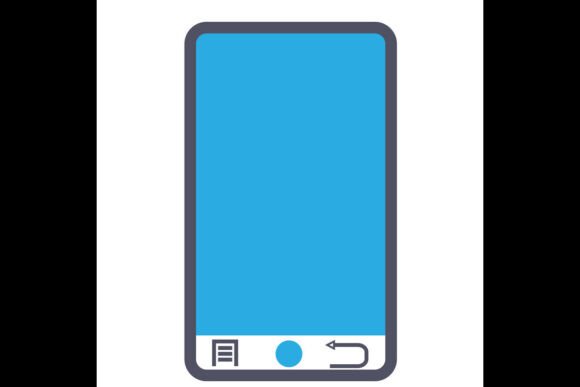
Visual communication relies on clear, adaptable symbols. Mobile devices, laptops, and messaging have become universal touchpoints in digital work. A well-designed set of icons covering these themes saves time and ensures consistency across projects. The Mobile Logo or Icon Design set described here offers exactly that—a collection of mobile, laptop, and message icons in formats that suit both print and screen. Whether you are starting a brand kit, preparing teaching materials, or building a social media campaign, such icons act as building blocks for professional-looking content.
This article breaks down what these icons offer, who benefits from them, and how different users might evaluate their value. Instead of generic claims, we focus on practical considerations: file quality, editing flexibility, and real-world use cases. By the end, you should have a clear sense of whether this set matches your skill level, project type, and long-term goals.
Who Can Benefit from a Mobile, Laptop, and Message Icon Set
Different audiences approach icon design with different priorities. A beginner might care most about ease of use and low cost. An experienced graphic designer looks for vector scalability and color control. A small business owner values how quickly icons can be dropped into a flyer or website. The same product can serve all these groups, but each will evaluate it on different terms.
Beginners and Hobbyists
If you are just getting started with visual projects, the learning curve matters. You may not own expensive software or know how to edit vectors. This set includes JPG files in solid color—ready to use immediately. You can insert them into a document, a blog header, or a simple social media post without any editing skills. The EPS file, while more advanced, remains accessible if you later learn basic vector editing in free tools like Inkscape. The high 300 dpi resolution also means these icons look crisp on printed materials, which is valuable if you are making flyers or cards for a hobby event.
For a hobbyist crafting a personal blog about remote work, the laptop icon alone can become a recurring visual theme. The message icon works for call-to-action buttons like “contact me.” You are not forced to buy a large subscription or learn complex software. This set provides a low-cost, low-risk entry point.
Professional Creators and Designers
Experienced creatives need control. The EPS file, being a vector format, allows infinite resizing without quality loss. You can change colors, combine icons, or integrate them into larger illustrations. The 300 dpi JPG versions also serve as quick placeholders or assets for mockups. When you are iterating fast, having files that are easy to edit and change colors saves hours. You can adapt the same icon to fit dark mode, brand color palettes, or seasonal campaigns.
A freelance graphic designer working on a mobile app interface could use the smartphone icon as a user-interface element. Because the EPS is layered and resolution-independent, scaling it to a 144×144 dp icon or a 1024×1024 app store graphic is seamless. For presentations to clients, the high-quality JPG works right away. The designer’s priority is not just getting a design—it is getting one that holds up under professional reproduction.
Business Owners and Marketers
Entrepreneurs and marketers often juggle many roles. Speed and reliability matter. You might need to produce a one-page flyer for a startup pitch or a quick social media graphic about a new messaging feature. A ready-made icon set eliminates the time spent sourcing free images that look inconsistent. The Mobile Logo or Icon Design set offers a unified style across its three themes. You can use the laptop icon on your website services page, the message icon on your contact form, and the mobile icon on your app download section—all with the same visual language.
Because the files come in a single ZIP, extraction and organization take minutes. The prohibited usage (no reselling original files or giving them away as freebies) protects your investment and ensures the icon remains distinctive to your brand if used uniquely. For a marketing campaign, the ability to resize and recolor quickly (using the EPS) lets you adapt the same icon for print banners, digital ads, and email headers without re-licensing.
Educators and Publishers
Teachers and content creators for education need clear, recognizable visuals for slides, worksheets, or online courses. A mobile icon can represent a “mobile learning” section, a laptop icon can denote “computer exercise,” and a message icon can mark “discussion board.” The high 300 dpi ensures these symbols remain sharp when projected or printed. Since the files are digital and instant to download, you can prepare materials late at night without waiting for shipping. The EPS format also allows you to enlarge icons to poster size if needed, maintaining educational clarity.
Key Features That Influence Usability
When evaluating any icon set, most users look at four attributes: file format, resolution, editability, and delivery method. The described set covers each with practical choices.
- File Formats: JPG (solid color) and EPS. JPG is universal for non-editor use; EPS is a vector standard for graphic editors like Adobe Illustrator or free tools like Inkscape. Both allow resizing, but EPS does so without pixelation.
- Resolution: 300 dpi. This is the standard for print-quality images. Even if you only use these digitally, high dpi gives you room to crop or zoom without blurring.
- Ease of Editing: The EPS packs are designed to be manipulated—change colors, rearrange elements, combine icons. The JPG solid color versions are ready to use out of the box.
- Delivery: Compressed ZIP file containing both formats. You need extraction software (7-Zip, WinRAR, etc.). This is a digital instant download, no physical item.
For beginners, the ease of opening a JPG and dragging it into a document is the main draw. For professionals, the EPS vector flexibility is the core value. Both groups get high quality without extra steps.
Practical Applications Across Different Projects
The real test of any icon set is how it fits into actual work scenarios. Here are three distinct use cases.
Use Case 1: Social Media Content for a Freelancer
You are a freelance copywriter creating an Instagram post about “5 ways to improve mobile communication.” You grab the message icon from the set, place it behind text as a background element, and adjust color to match your brand orange. Because the EPS allows quick color change, the icon looks custom. You then reuse the same icon for a LinkedIn article header, resized without quality loss. This consistency builds a recognizable visual identity.
Use Case 2: E-Learning Module for an Educator
You teach a remote work course. You insert the laptop icon on a slide titled “Tools for Laptop Work,” the mobile icon next to “On-the-Go Tasks,” and the message icon for “Team Communication.” The icons are high enough resolution to project on a 1080p screen without pixelation. Later, you convert the slide deck to a PDF handout that students print—the 300 dpi ensures the icons remain clear in hard copy.
Use Case 3: Brand Collateral for a Small Business
You run a small tech support service. Your logo features a stylized laptop, but you need simpler icons for your business card, website footer, and invoice header. You extract the laptop icon from the set, adjust it to match your brand blue using the EPS file, and export as a high-res PNG. The same icon appears on your email signature and social media profile. The consistent look reinforces brand recognition. Because you cannot resell the original file, you avoid diluting your brand with the same icon used by competitors—unless they also purchased the set.
How to Identify If This Icon Set Matches Your Needs
Ask yourself a few questions to decide.
- What is your skill level? If you can open a JPG and paste it into a document, you can use these icons. If you know basic vector editing tools, the EPS gives you extra power.
- What is the primary output medium? For digital screen use (websites, social media, presentations), 300 dpi is more than enough. For large format print (posters, banners), the vector EPS ensures infinite scaling.
- How important is customization? If you need to match exact brand colors, the EPS file is essential. If you are fine with solid colors that already exist, the JPGs are sufficient.
- Are you on a tight deadline? Digital download, no shipping, extraction tools needed but common. You can use the icons within minutes of purchase.
- What are the limitations? You cannot resell or redistribute the original files. That means you cannot bundle them as freebies or sell them as a standalone icon pack. For internal use (own projects, client work where you deliver final composites), it is fine. For someone who wants to resell icon sets, this is not the right product.
The set works best for creators who need a few reliable, professional icons for specific themes and will control the final design themselves. It is less ideal for someone who wants hundreds of generic icons or who needs a custom-made illustration from scratch.
Understanding Usage Rights and Practical Boundaries
The product description is clear: Prohibited Usage includes reselling, distributing, or sharing the images in their original format, and offering the images as freebies or gifts. This restriction ensures that the value remains with purchasers. For most users—designers incorporating icons into a logo, bloggers adding them to a post, educators using them in handouts—this is not a limitation. You are not selling the icon itself; you are using it within a larger work. However, if you plan to create a template marketplace where the icon is the main sellable element, you would need a different license.
Also note that this is a digital instant download. No physical item is shipped. Because the files come inside a ZIP archive, you need extraction software (7-Zip, WinRAR, or similar). On modern operating systems, built-in ZIP extraction works as well.
The high 300 dpi resolution is worth repeating: it affects print output directly. If you print a icon at 72 dpi (common for web), it may look soft on paper. At 300 dpi, lines stay sharp. For anyone preparing materials for physical distribution—flyers, brochures, business cards—this matters.
Finally, consider the long-term usefulness. Vectors never degrade and can be modified years later as long as you keep the EPS file. JPGs may become outdated if you change color schemes, but the EPS source remains flexible. For a one-off project, JPGs may be enough. For ongoing branding, the EPS is an asset that grows with you.
In short, the Mobile Logo or Icon Design set offers a practical starting point for many creative tasks. By understanding your own priorities—cost, speed, customization, quality—you can decide if these laptop, mobile, and message icons fit your workflow without unnecessary extras. Every audience values different features, but the core combination of editable vector + high-res pixel files covers a wide range of real-world uses.